Article
Apr 24, 2026
Using Claude Code to Track Cold Email Deliverability Across Multiple Domains
Learn how to use Claude Code to monitor DNS authentication, domain reputation, and spam rates across your cold email sending domains in one workflow
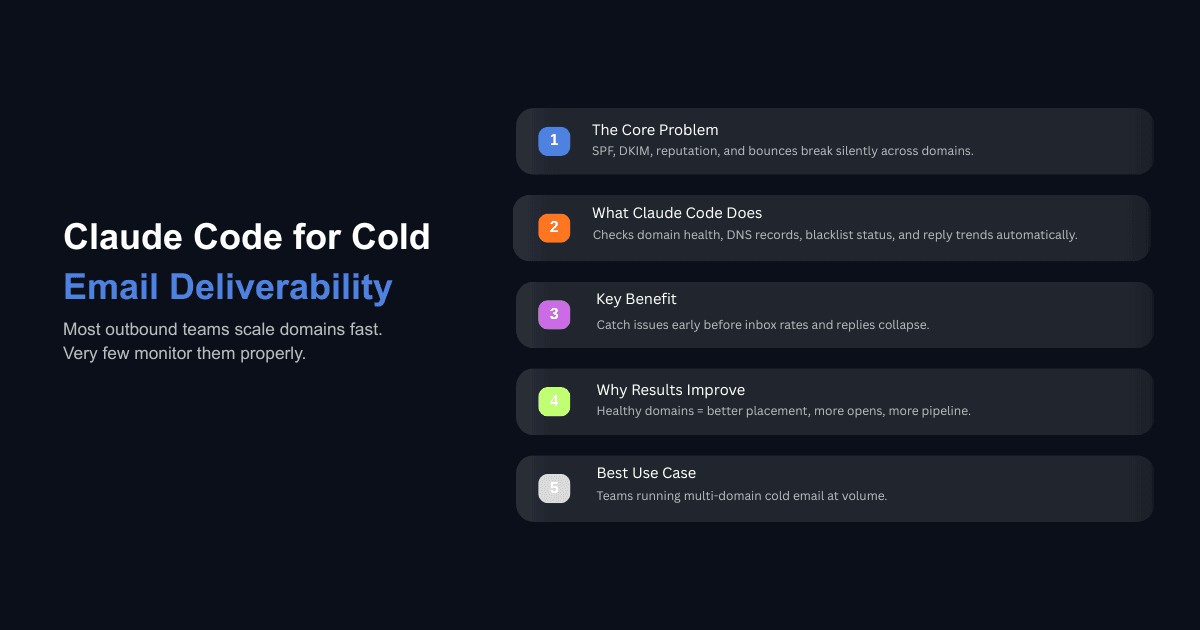
If you run cold outreach across more than a handful of sending domains, you already know the operational weight of keeping everything healthy. Each domain has its own DNS records, its own reputation score, its own bounce and complaint history. Multiply that by 20 or 50 domains, and you have a monitoring problem that most teams solve with either spreadsheets or willpower.
Neither holds up. Domains drift out of compliance quietly. A DKIM key expires. A new sending tool gets added without updating the SPF record. A domain's reputation drops from High to Medium, and nobody notices until reply rates collapse two weeks later. The information needed to catch these problems exists across Google Postmaster Tools, Microsoft SNDS, blacklist checkers, and your sending platform's dashboard. But collecting it manually across every domain, every week, is the kind of work that stops happening the moment the team gets busy.
Claude Code changes how this work gets done. Instead of logging into five tools per domain and eyeballing dashboards, you can build a workflow where Claude Code pulls deliverability data, checks DNS records, flags domains that need attention, and gives you a single summary of your entire sending infrastructure. This post walks through how to set that up and what to monitor, based on how teams actually manage cold email systems using Claude in production.
Why Deliverability Tracking Breaks Down at Scale
The Problem With Manual Domain Checks
A single sending domain requires checking SPF, DKIM, and DMARC records, verifying that authentication passes at 100%, monitoring domain reputation in Google Postmaster Tools, watching bounce rates and spam complaint rates in your sending platform, and checking blacklist status. That takes about 10 minutes if you know exactly where to look and nothing is broken.
At 30 domains, that is five hours of weekly checking. Most teams do not have that time, so they check when something feels wrong. By that point, a domain that dropped to Low reputation two weeks ago has been burning sends the entire time, landing in spam and wasting leads and copy.
What Actually Needs Monitoring Across Every Domain
Cold email deliverability in 2026 is built on three layers, and all three need continuous attention.
The first layer is authentication. Gmail, Yahoo, and Microsoft now enforce SPF, DKIM, and DMARC for any sender doing meaningful volume. Microsoft began requiring authentication for senders delivering over 5,000 emails per day to consumer domains starting in May 2025. A single misconfigured record on one domain can cause every email from that domain to fail authentication checks, and receiving servers will either quarantine or reject those messages entirely.
The second layer is reputation. Google Postmaster Tools assigns domain reputation on a four-tier scale. High reputation correlates with 90 to 96% inbox placement. Medium sits at 70 to 85%. Low means more than half your sends are going to spam. For a domain sending 500 emails per week, a drop from High to Medium means 50 to 130 fewer emails reaching the inbox every week from that one domain alone.
The third layer is behavioral signals. Bounce rates need to stay under 2%. Spam complaint rates need to stay under 0.3%, with a working target closer to 0.1%. Reply rates matter because a domain that generates zero replies over a full week signals to receiving servers that traffic from the domain is unwanted. A domain with rising bounces and declining replies is on its way to a reputation drop whether or not the DNS records are clean.
How Claude Code Fits Into Cold Email Deliverability Workflows
What Claude Code Can Access and Automate
Claude Code operates in your terminal with access to your file system, APIs, and any tool you connect through MCP (Model Context Protocol). For deliverability tracking, this means Claude Code can run DNS lookups against every domain in your portfolio, query sending platform APIs for bounce and complaint data, pull Google Postmaster Tools data, check domains against public blacklists, and compile everything into a single report.
The practical difference between Claude Code and a standalone monitoring tool is that Claude Code combines data from multiple sources and applies judgment. A monitoring tool tells you that a domain's DKIM check failed. Claude Code tells you that the DKIM check failed, the domain's reply rate has been zero for six days, the domain was added to a new sending tool last week without updating DNS, and the domain should be paused until the records are corrected.
Teams that already automate cold email sequences with Claude Code are extending the same workflow to cover deliverability. The logic is consistent: if Claude Code handles campaign creation and copy, it should also monitor whether those campaigns are actually reaching inboxes.
Connecting Claude Code to Your Sending Infrastructure via MCP
MCP servers are what make Claude Code useful for deliverability tracking specifically. An MCP server exposes your sending platform's data (mailboxes, campaigns, deliverability metrics, DNS records) as native tools that Claude Code can call directly. Instead of writing custom API scripts, you connect the MCP endpoint and Claude Code can query your infrastructure conversationally.
Open source Claude Code skills for deliverability auditing already exist on GitHub, covering SPF, DKIM, and DMARC validation, spam placement analysis, and incident response playbooks for bounces, blacklists, and warmup blocks. If your sending platform does not have an MCP server, Claude Code can still interact with its API directly or run command-line tools like dig for DNS lookups and query blacklist APIs over HTTP.
What Should You Monitor on Every Sending Domain?
DNS Authentication: SPF, DKIM, and DMARC
Every sending domain needs a valid SPF record that includes all services authorized to send on its behalf. You can only have one SPF record per domain. Publishing two causes a PermError, which means SPF fails for every message from that domain. Each include: in your SPF record counts as a DNS lookup, and SPF has a hard cap of 10 lookups. Teams running multiple sending tools (CRM, marketing platform, cold email tool, warmup service) frequently hit this limit without realizing it.
DKIM needs to be configured for every service that sends email as your domain. If your cold email tool sends with DKIM but your warmup service does not, the warmup emails will fail authentication, which defeats the purpose of warming up the domain. In 2026, 2048-bit DKIM keys are the minimum acceptable standard. If your keys were set up before 2022, they may still be running 1024-bit and should be rotated.
DMARC ties SPF and DKIM together and tells receiving servers what to do when authentication fails. A DMARC record set to p=none is a monitoring policy that provides visibility but does not actually protect your domain from spoofing or send a strong trust signal to mailbox providers. The goal is to move to p=quarantine or p=reject over time. Research tracking over one million domains globally found that as of early 2026, only about 10.7% of domains have full DMARC protection with a strict reject policy at 100% enforcement.
Claude Code can check all of this programmatically across every domain you own. A single command can run dig queries for SPF, DKIM, and DMARC records on 50 domains, parse the results, and flag anything that is missing, misconfigured, or using outdated key lengths.
Domain and IP Reputation
Google Postmaster Tools is the primary source for domain reputation data on Gmail traffic. Set it up for every sending domain before the first campaign goes out. Verification takes about five minutes per domain, and data starts populating from the first Gmail-destined email. The data is delayed by 24 to 48 hours, so a campaign that triggers complaints today will not show up in Postmaster until tomorrow or the day after.
Microsoft SNDS provides similar signals for Outlook and Microsoft 365 inboxes. Since a large share of B2B cold email targets sit on Microsoft-hosted domains, monitoring only Google Postmaster gives you an incomplete picture. Claude Code can pull reputation data from both sources and combine it with your sending platform's metrics to give you a single view of each domain's health.
Bounce Rates, Spam Complaints, and Reply Signals
Bounce rates above 2% indicate list quality problems. If you see high bounces on a specific domain, pause sends, re-verify the segment, remove newly added contacts, and resume at lower volume after the list is clean. Teams that enrich their lead lists using Claude Code before launching campaigns tend to see lower bounce rates because email addresses are validated during enrichment rather than discovered through failed sends.
Spam complaints need to stay below 0.3% as an absolute ceiling, with a working target of 0.1% or lower. A complaint spike usually points to targeting contacts who did not expect outreach, sending copy that feels generic, or missing an easy unsubscribe mechanism.
Positive reply rate (not total reply rate, which includes out-of-office and unsubscribe requests) is the metric that matters most for cold email. A domain with zero positive replies over a full week should be flagged for review because that pattern signals to receiving servers that traffic from the domain is unwanted.
Building a Weekly Deliverability Audit With Claude Code
Setting Up the Check
The most effective approach is a structured weekly audit that Claude Code runs every Monday before new campaigns go out. The audit should cover every active sending domain and check four things: DNS authentication status (SPF, DKIM, DMARC all passing), domain reputation tier in Google Postmaster, bounce rate and spam complaint rate from your sending platform, and reply activity over the past seven days.
Store your domain list in a simple CSV or YAML file that Claude Code references. Include the domain name, the sending platform it connects to, its Google Postmaster verification status, and when it was last audited. The output should group domains into three categories: healthy (all checks pass), warning (metrics trending in the wrong direction), and critical (reputation dropped, authentication failing, or blacklisted).
Flagging Domains That Need Attention
The value of automating this check is consistency. Manual audits miss things because human attention is uneven. Claude Code checks every domain against the same criteria every time.
Flags worth setting: SPF, DKIM, or DMARC failing on any domain triggers an immediate alert because authentication failures affect every email sent from that domain. Reply rate below 1% over seven days means the domain is underperforming, and this is the point to audit and rewrite the cold email copy being sent from that domain, or to pause and re-warm it. Bounce rate above 2% means list quality needs attention before more sends go out. Spam complaint rate above 0.08% means Gmail is already tightening filters on that domain. Blacklist appearance on any major RBL (Spamhaus, Barracuda, SORBS) requires immediate action, and Claude Code can check blacklist status via public APIs.
What to Do When a Domain Goes Cold
A domain that drops to Low or Bad reputation in Google Postmaster needs to be paused immediately. Continuing to send from it accelerates the damage. The recovery process involves pausing all outbound sends from the affected domain, diagnosing the root cause (usually a combination of spam complaints, authentication failure, or list quality issues), fixing the underlying problem, re-warming the domain over three to five days at reduced volume, and monitoring Postmaster daily until reputation recovers to Medium and then High.
Recovery from Low reputation typically takes four to six weeks of clean sending behavior. Recovery from Bad can take longer and sometimes the domain is effectively burned. This is why early detection matters. Catching a domain at Medium and pulling back volume immediately is far less costly than discovering it at Low after two weeks of unmonitored sends.
How Does This Compare to Using Deliverability Platforms Alone?
Where Platforms Fall Short
Dedicated deliverability platforms like Folderly, Warmy, and GlockApps handle warmup, inbox placement testing, and blacklist monitoring well. Where they fall short is in connecting deliverability data to campaign-level decisions. A platform can tell you that Domain A has a Low reputation. It cannot tell you that Domain A's reputation dropped because Campaign 12 sent 400 emails to an unverified list segment last Tuesday, that the copy triggered spam filters, and that you should pause the campaign, pull the domain out of rotation, re-verify the list segment, and reassign sends to healthier domains. That kind of reasoning requires combining data from multiple sources and applying context.
Where Claude Code Adds Value
Claude Code sits between your deliverability data and your operational decisions. It does not replace your sending platform or your warmup tool. It reads from them, combines their signals, and produces recommendations that account for the full picture. One enterprise client that moved from manual monitoring to AI-driven deliverability tracking doubled their sales efficiency by catching domain issues early and reallocating sends to healthy domains before campaigns were affected.
The workflow is straightforward: your sending platform handles the sends, your warmup tool handles reputation building, Google Postmaster and Microsoft SNDS provide reputation signals, and Claude Code ties all of it together into a weekly audit that tells you what needs attention and what to do about it.
Common Mistakes When Automating Deliverability Monitoring
The first mistake is monitoring without acting. An automated report that sits unread is not a monitoring system. Build the audit with clear thresholds and assign ownership for each action so someone specific is responsible for reducing send volume within 24 hours when a domain drops to Medium reputation.
The second mistake is over-relying on Google Postmaster alone. It only covers Gmail traffic. If most of your targets are on Microsoft 365, Postmaster might show High reputation while your actual inbox placement is poor. Monitor both Gmail and Microsoft SNDS signals and supplement with periodic seed list testing for inbox placement data across all providers.
The third mistake is ignoring warmup domains. New domains still in the warmup phase need tighter monitoring than established ones. Claude Code should track warmup status separately and prevent any domain from being used in live campaigns until warmup metrics meet your baseline thresholds.
The fourth mistake is treating deliverability as separate from copy quality. A domain can have perfect DNS, High reputation, and clean lists, and still underperform if the email content triggers spam filters or fails to generate replies. Teams using Claude Code for both deliverability tracking and copy auditing catch both technical and content problems in the same workflow.
Conclusion
Cold email deliverability at scale is an operations problem. The technical requirements are well documented. What most teams lack is a reliable system for monitoring all of it across every domain, every week, without consuming hours of manual work.
Claude Code gives you that system. It connects to your sending infrastructure, applies consistent checks against every domain, and surfaces problems before they compound into domain burns or campaign failures. If you are running outbound across more than five sending domains without an automated deliverability audit, that gap is costing you replies and pipeline every week.
For teams building or refining their outbound infrastructure, this fits into the broader workflow of constructing a full B2B cold email system with Claude that handles lead enrichment, copy generation, and deliverability monitoring in one coordinated workspace.