Article
Apr 1, 2026
How To Enrich Your Lead List Using Claude Code
Learn how to use Claude Code to enrich lead lists with validated emails, ICP scoring, and personalized copy — replacing manual tools and workflows.
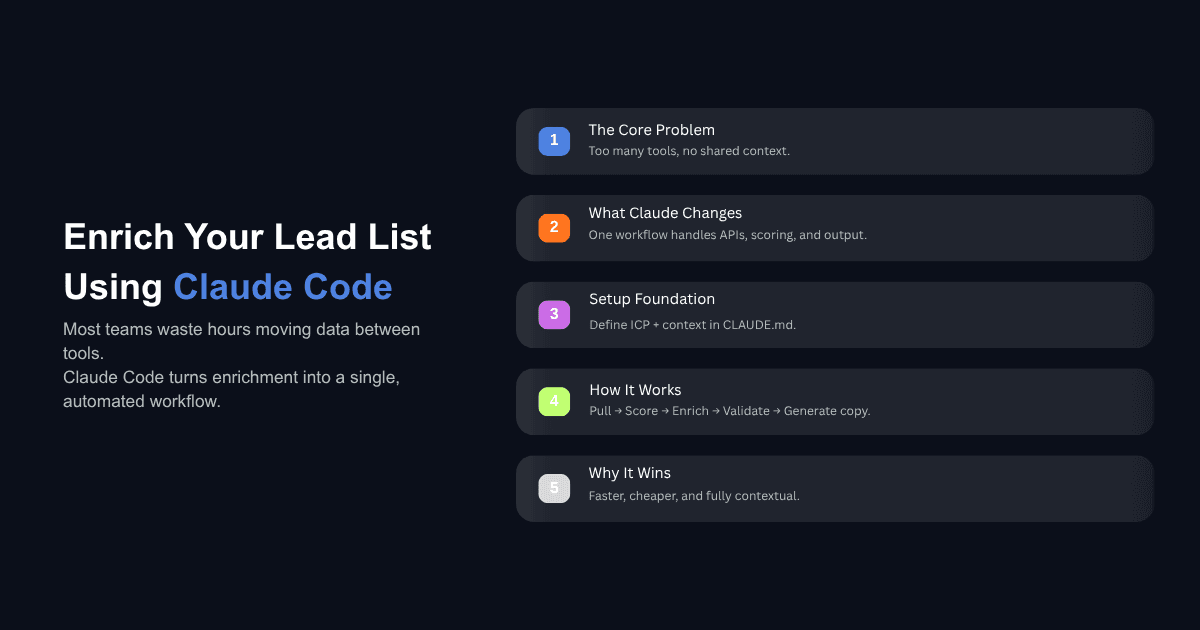
Most lead enrichment workflows look the same. You pull a list from Apollo or LinkedIn Sales Navigator, export it as a CSV, upload it to Clay or a similar platform, run a series of enrichment steps, wait, fix the errors, download the results, and then paste the data into your sequencer. By the time you actually send an email, you have spent more time on data plumbing than on the message itself.
Claude Code changes the mechanics of this process. Instead of moving data between disconnected tools, you describe what you want in natural language, and Claude Code handles the API calls, the data processing, the scoring, and the output — all within a single session where context carries forward from one step to the next. This guide walks through how to enrich your lead list using Claude Code, from initial setup to a reusable workflow you can run repeatedly.
What Does Lead Enrichment Actually Mean in Practice?
The Typical Enrichment Workflow (And Where It Breaks)
Lead enrichment is the process of taking a raw list of companies or contacts and adding the data you need to decide who is worth reaching out to and what to say. That includes firmographic data like company size, revenue, and industry. It includes contact details like verified work emails and job titles. And it includes contextual signals like recent funding rounds, hiring activity, or technology stack.
The standard approach involves at least three or four different platforms. You source companies from one tool, find contacts from another, validate emails through a third, and then manually stitch it all together in a spreadsheet before importing into your sequencer. Each handoff introduces delay, formatting errors, and the risk of stale data.
The deeper issue is that these tools do not share context. Your enrichment platform does not know your ICP criteria. Your email validator does not know which contacts you already disqualified. Every step starts from scratch, and the person running the process is the only thread connecting them.
What Claude Code Changes About This Process
Claude Code is not a replacement for your data providers. It still needs Apollo, Blitz API, Lead Magic, Prospeo, or whichever vendor you use to source contact information. What it replaces is the manual orchestration layer — the copying, pasting, reformatting, and re-uploading that currently sits between each step.
Because Claude Code runs locally and has access to your file system, it can read your CSV, query an API, process the results, score the output, and write a new file without you ever leaving the terminal. Each step builds on the context from the previous one, so by the time it writes your campaign copy, it already knows which companies are tier one, which contacts are decision-makers, and which emails have been validated.
The practical result is that a workflow that used to take a few hours across multiple platforms can run in under ten minutes from a single command.
How To Set Up Claude Code for Lead Enrichment
The CLAUDE.md File — Your Project's Brain
Every Claude Code project starts with a CLAUDE.md file. This is a markdown document that sits in your project folder and gives Claude persistent context about what you are doing, how you want it done, and what tools it has access to.
For lead enrichment, your CLAUDE.md should include your ICP definition with specific criteria (company size ranges, industries, revenue thresholds, job titles you want and do not want), the API keys for your data providers, your email validation rules, and any output formatting requirements for your sequencer. Think of it as the briefing document you would hand to a new team member before asking them to build a list.
The important detail here is specificity. Telling Claude to "find sales leaders" produces different results than telling it to "find VP and above in sales or revenue operations, excluding individual contributors and managers, at companies with 50 to 500 employees in SaaS." The more precise the CLAUDE.md, the less time you spend correcting output later.
Connecting Data Providers Through MCP Servers
The Model Context Protocol (MCP) is what allows Claude Code to talk directly to external services. Instead of exporting a CSV from Apollo, uploading it somewhere, and waiting for results, you connect an MCP server and Claude queries the provider in real time from your terminal.
Setting this up involves adding the MCP server configuration to your Claude Code settings and providing an API key. For most providers, you run a command like claude mcp add with the transport type and the server URL. Once connected, Claude Code can search for companies, pull contact data, validate emails, and push leads to your sequencer — all through natural language commands.
A practical tip from teams running this at scale: scope your MCP connections to the project level rather than the user level. If you work across multiple clients or campaigns, you do not want one client's API key leaking into another project. Project-level scoping keeps each workspace isolated.
Structuring Your Project With Skills
A skill in Claude Code is a folder containing instructions, scripts, and resources that Claude loads when the task matches. For lead enrichment, you would create a skill that contains your enrichment logic — the sequence of steps, the scoring criteria, the copy frameworks, and the output templates.
The process of building a skill is iterative. You start by describing what you want Claude to do in plain language. You run it, review the output, and refine. Once you are satisfied with the results, you tell Claude to package it as a repeatable skill. From that point on, you can invoke the entire enrichment pipeline with a single command and just change the targeting criteria.
If you are new to how Claude Skills work and how to build them, start with one narrow use case rather than trying to automate the full pipeline at once. Build the list pull first. Get that right. Then add scoring. Then add email enrichment. Each layer becomes a building block.
How To Enrich Your Lead List Step by Step Using Claude Code
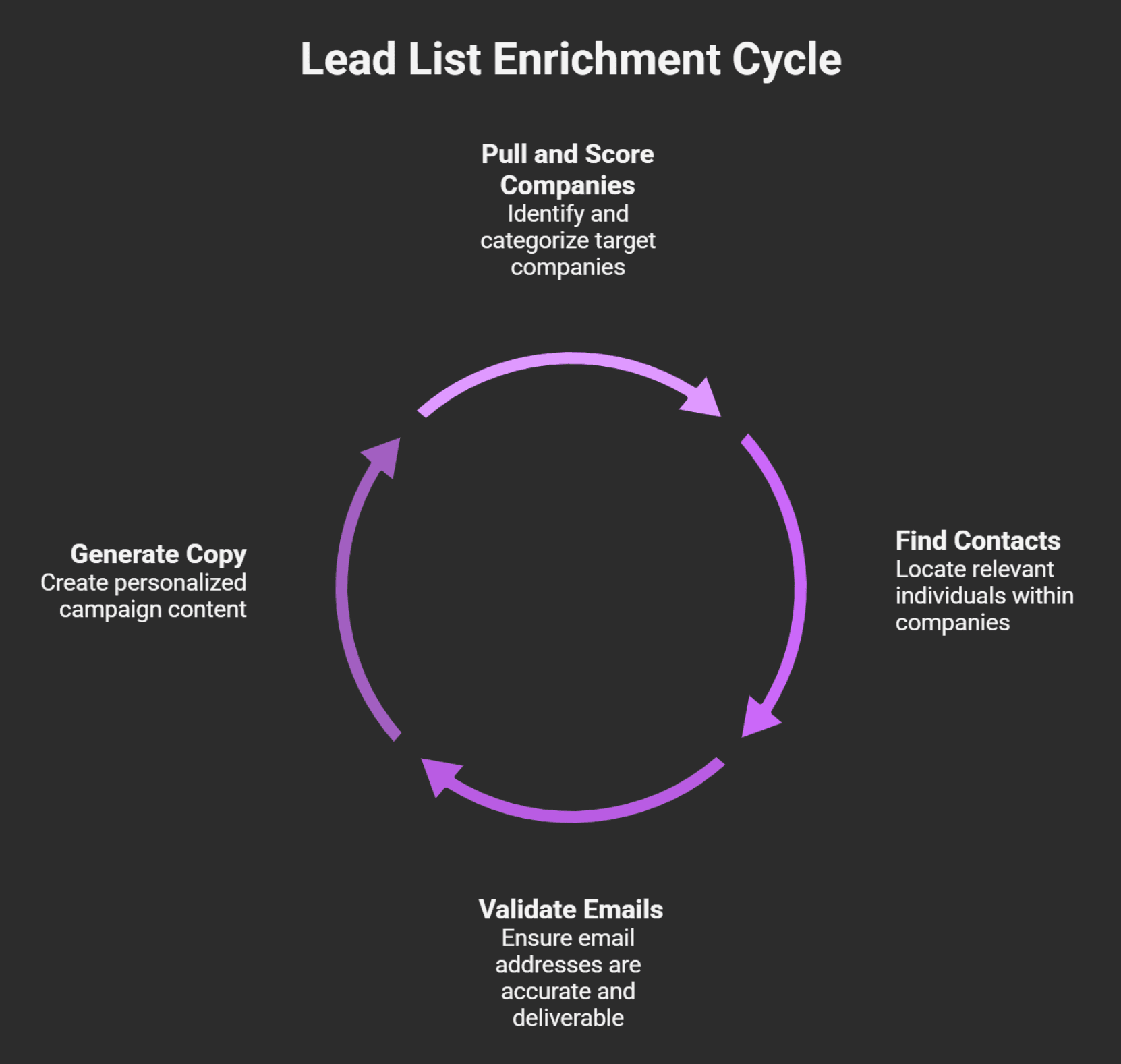
Step 1 — Pull and Score Your Company List
Start with your target companies. You can either import a CSV you have already built or have Claude Code pull a list directly from a data provider using its API connection.
Once you have the company list, the next step is scoring. Create a scoring criteria file that defines what makes a tier one, tier two, and tier three company for your campaign. This should include quantifiable attributes — employee count ranges, revenue thresholds, specific industries, funding stages, and any technology requirements.
What matters here is that the scoring runs through Python scripts, not through an AI prompt. Claude Code generates the code to evaluate each company against your criteria using actual data fields, which means there is zero room for hallucination in the scoring itself. A company either meets the employee count threshold or it does not.
The output is your company list segmented into tiers, with disqualified companies removed entirely.
Step 2 — Find Contacts at Target Companies
With your tiered company list ready, you tell Claude Code to find the right people at your tier one and tier two companies. A command as simple as "find me operations leaders at tier one and tier two companies" triggers an API call to your connected data provider.
Claude Code takes your natural language description, translates it into the correct API filters, and returns matching contacts with their titles, seniority levels, and whatever other data the provider has available. Because the session still holds context from step one, it knows which companies are in which tier and only searches against the ones you care about.
This is where you review and refine. If the initial pull includes job titles that are not relevant — say, "Head of Employee Experience" when you wanted operations leaders — you go back and tell Claude to exclude those titles. Then you update the skill so it always filters them out in future runs.
Step 3 — Validate and Enrich Emails Using a Waterfall Approach
Not every contact will come back with a verified email from your first data provider. The waterfall approach means running contacts through multiple providers in sequence until you find a valid email for each one.
Claude Code handles this by querying your primary provider first, identifying which contacts still lack verified emails, and then running those through a second and third provider. Some teams have built internal email finders that sit alongside commercial tools like Prospeo or Lead Magic to increase coverage further.
The email validation step is critical because sending to unverified addresses destroys your deliverability. Claude Code can run validation checks and flag or remove contacts that do not pass, keeping your list clean before it ever reaches your sequencer.
Teams running this process at scale report getting above 90% of contacts matched with a valid email by the end of the waterfall, compared to the 30% or so you might get from a single provider.
Step 4 — Generate Campaign Copy From Enriched Data
This is where the accumulated context pays off. Claude Code now knows your companies, their tiers, the contacts and their titles, and the enrichment data attached to each one. You can ask it to generate campaign copy that reflects all of this.
Feed it your copy frameworks — the email structures, the tone guidelines, the call-to-action templates that have already performed well in your campaigns. Claude Code will write sequences mapped to each segment, with personalization tokens already formatted for your sequencer.
One enterprise client we worked with doubled their sales efficiency by combining AI-driven enrichment with data-backed outreach decisions, engaging leads at the right time with the right message. The key was not just having the data, but having it connected to the copy generation step so nothing was lost in translation.
You can also use Claude Skills to automate your entire sales workflow beyond just the enrichment step — from call prep to follow-up sequences.
Can Claude Code Replace Clay for Lead Enrichment?
Where Claude Code Wins
Claude Code is strongest when you need flexibility and context continuity. You describe what you want in natural language, and it figures out the API calls. If something goes wrong, you tell it to fix it in plain English. There is no formula syntax to learn, no column mapping to configure.
It is also significantly cheaper at scale. Running enrichment through Claude Code with direct API connections to data providers costs a fraction of what platform-based enrichment charges per row, especially when you are processing tens of thousands of contacts.
The other advantage is that Claude Code produces files and code, not just data in a proprietary interface. Everything lives in your project folder as CSVs, markdown files, and scripts you can inspect, version, and reuse.
Where Clay Still Has an Edge
Clay is purpose-built for enrichment with a visual interface that makes it easy to see your data flowing through each step. For teams that are not comfortable working in a terminal, Clay's spreadsheet-like environment is more approachable. It also has pre-built integrations that require no setup — you do not need to configure API connections or write a CLAUDE.md file.
If your enrichment needs are straightforward and you are working with lists under a few thousand contacts, Clay's interface is hard to beat for speed of setup.
Using Both Together
The most practical approach for many teams is to use both. Pull and enrich your initial company data in Clay where the visual feedback helps with quality checks, then move to Claude Code for the steps that benefit from context and natural language — ICP scoring, contact segmentation, copy generation, and pushing campaigns to your sequencer.
Understanding the difference between AI agents and AI tools helps here. Clay is a tool — it does what you configure it to do. Claude Code operates more like an agent — it takes your intent and figures out the execution path. Both are useful, and knowing when to reach for which one matters.

How To Turn Your Enrichment Workflow Into a Reusable Skill
What a Claude Code Skill Is
A skill is a set of structured instructions, scripts, and reference files that Claude Code loads automatically when it recognizes a matching task. Unlike a one-off prompt, a skill persists across sessions. You build it once, and every future enrichment run starts with all of that accumulated logic already in place.
Skills use progressive disclosure, meaning Claude only loads what it needs for the current task. The metadata is always available (about 100 tokens), the full instructions load when triggered, and any bundled resources like scoring criteria or copy templates load on demand. This keeps things efficient even when you have dozens of skills installed.
Packaging Your Enrichment Pipeline for Repeat Use
Once you have run your enrichment workflow a few times and refined the output to where you are satisfied, tell Claude Code to save it as a skill. The skill will include your enrichment sequence, your scoring logic, your copy frameworks, and your output formatting rules.
From that point, running the entire pipeline looks something like invoking a single command with just the variable criteria — "ops leaders at professional services firms in the UK, 10 to 500 employees" — and the skill handles the rest. The only thing that changes between runs is the targeting description. Everything else is already defined.
This is the same mental model as building a workflow in Clay or Make, except the instructions are written in natural language rather than configured through a visual interface. And because the skill lives as files in your project folder, you can version it, share it with your team, and iterate on it over time.
What Most Teams Get Wrong With AI Lead Enrichment
The most common mistake is trying to automate everything before understanding what good output looks like. Teams jump straight to building a full pipeline without first manually reviewing what the ideal enriched lead record should contain, what copy should sound like, and what quality threshold is acceptable.
Start by picking one contact from your list and enriching them manually. Write the email yourself. Then reverse engineer that process into something Claude Code can repeat. This gives you a concrete reference point for evaluating automated output.
The second mistake is skipping the human review loop. Claude Code can process hundreds of contacts in minutes, but the first few runs will always have noise — irrelevant job titles, companies that technically match your criteria but are clearly wrong, or copy that misses the mark. Build in a review step before anything goes to your sequencer. Once you have validated the output across several runs and tightened the filters, you can reduce oversight, but the review loop should never disappear entirely.
The third is not investing in the CLAUDE.md and skills files upfront. Teams that spend an hour defining their ICP criteria, copy frameworks, and scoring logic before running a single enrichment get dramatically better results than those who start prompting immediately and try to correct as they go. The upfront investment compounds across every future run.
Start With One Workflow and Build From There
Lead enrichment with Claude Code is not an all-or-nothing shift. You do not need to replace your entire stack on day one. Start with one piece of the process — scoring, or email validation, or copy generation — and get that working well. Package it as a skill. Then add the next piece.
The teams getting the most value from this approach are the ones who treat it as an ongoing investment in their operational infrastructure rather than a one-time setup. Every refinement to a skill, every new filter added to the scoring criteria, and every copy framework that gets saved makes the next campaign faster and more accurate than the last.
If you are thinking about how to implement AI in your business beyond just lead enrichment, the same principle applies: start with the workflow that costs you the most time, automate it well, and expand from there.