Article
Jan 23, 2026
How to Audit 60-Minute Sales Calls in Seconds Using AI
This article covers the method to analyze sales calls using AI to extract objections, buying signals, and coaching insights from every conversation.
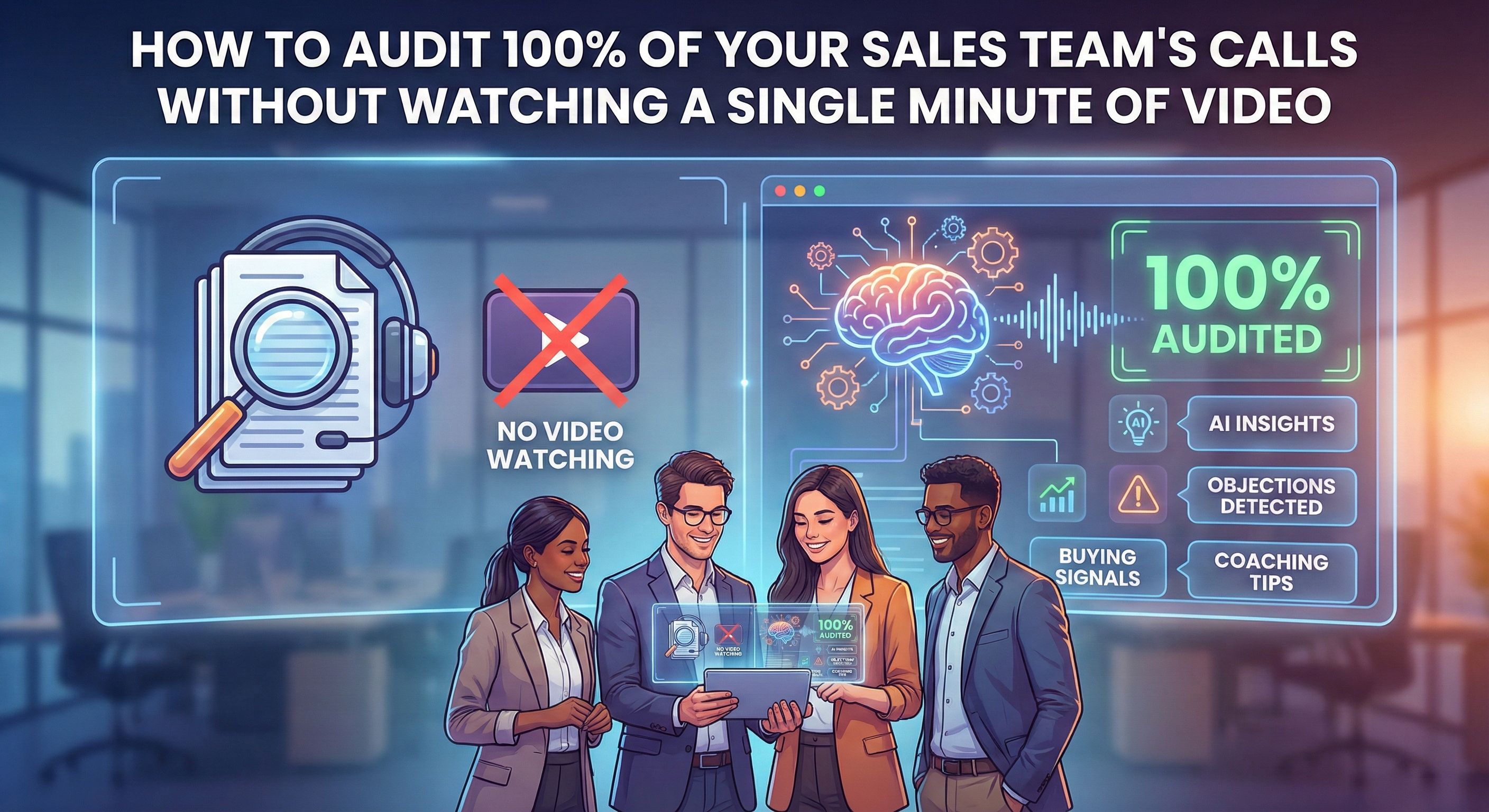
Most sales leaders review less than 1% of their team's calls. According to research from Avoma, 75% of sales managers don't listen to sales calls at all even after having the right tools.
Meanwhile, hundreds of conversations are happening every week. Inside those calls, prospects are literally telling your team why they're buying or why they're not. Objections, hesitations, confusion points, buying signals, all of it, just sitting there unheard.
It's about setting up a system where AI does the listening, extracts the patterns, and hands you the insights without adding hours to your week. If you sell a high ticket program and run a sales team, this will change how you operate.
Why Most Coaches Are Flying Blind
The 1% Problem
Sales call auditing sounds straightforward until you try to do it. Most teams only audit about 5-10% of their calls. That means 90-95% of conversations are still packed with potential insights that go completely unnoticed.
The math doesn't lie. If your team runs 500 calls a month and you're reviewing 5, you're making coaching decisions based on 1% of the data. And those 5 calls aren't even chosen strategically, they're usually picked at random or based on whatever shows up first in the dashboard.
What You're Missing When You Skip the Calls
The real cost isn't just missed coaching opportunities. It's the intelligence you're leaving on the table.
Your prospects are telling you exactly what's working and what isn't. They're revealing their pain points, their hesitations, their objections, and their buying triggers. That information should be feeding back into your marketing, your sales training, and your offer positioning. Instead, it disappears the moment the call ends.
There’s often a gap between what reps say happened on the call and what actually happened. CRM notes are usually short summaries, which means without hearing the real conversations, you’re decisions are based on incomplete information.
The Simple Setup That Makes Sales Call Auditing Possible With AI
Step 1: Make Recording Mandatory
You need a tool that joins every call automatically and records everything. There are several options out there like Otter.ai, Read.ai but we've used Fireflies.ai with our clients and it works well.
The key is making this non-negotiable. The AI notetaker must join every single sales call no matter what happens. Configure it to auto-join so reps don't have to remember. The moment you make recording optional, coverage drops and your data becomes incomplete.
Setup takes about 10 minutes and it's real simple. Connect your calendar, set auto-join preferences, and the notetaker starts appearing in meetings. Every call gets transcribed, summarized, and stored automatically.
How to Set Up Fireflies in 10 Minutes
Here's exactly how to get Fireflies running for your team:
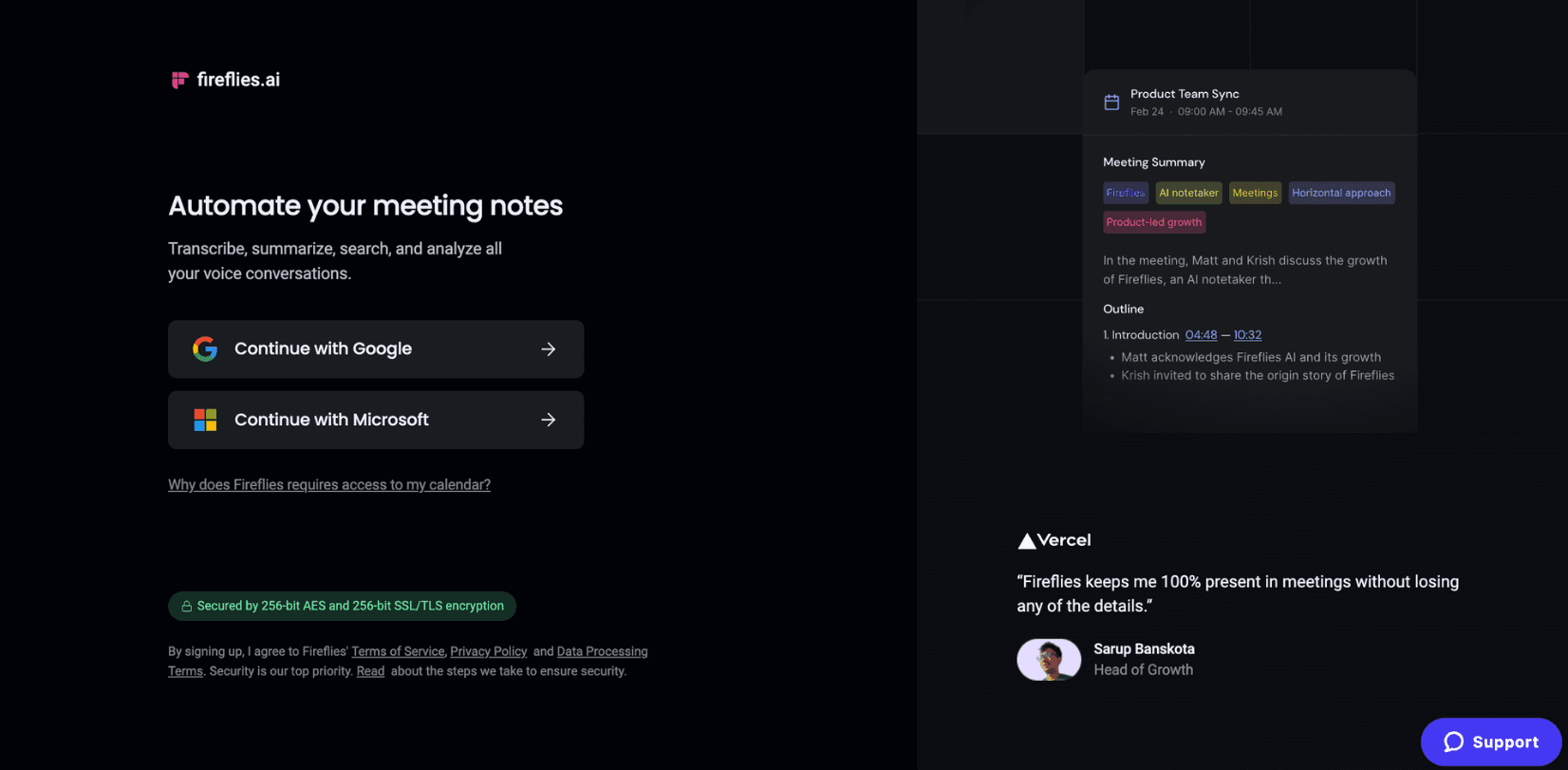
Step 1: Create Your Account
Go to app.fireflies.ai and sign up using your Google or Outlook calendar. This connects Fireflies to your meeting schedule automatically.
Step 2: Configure Auto-Join Settings
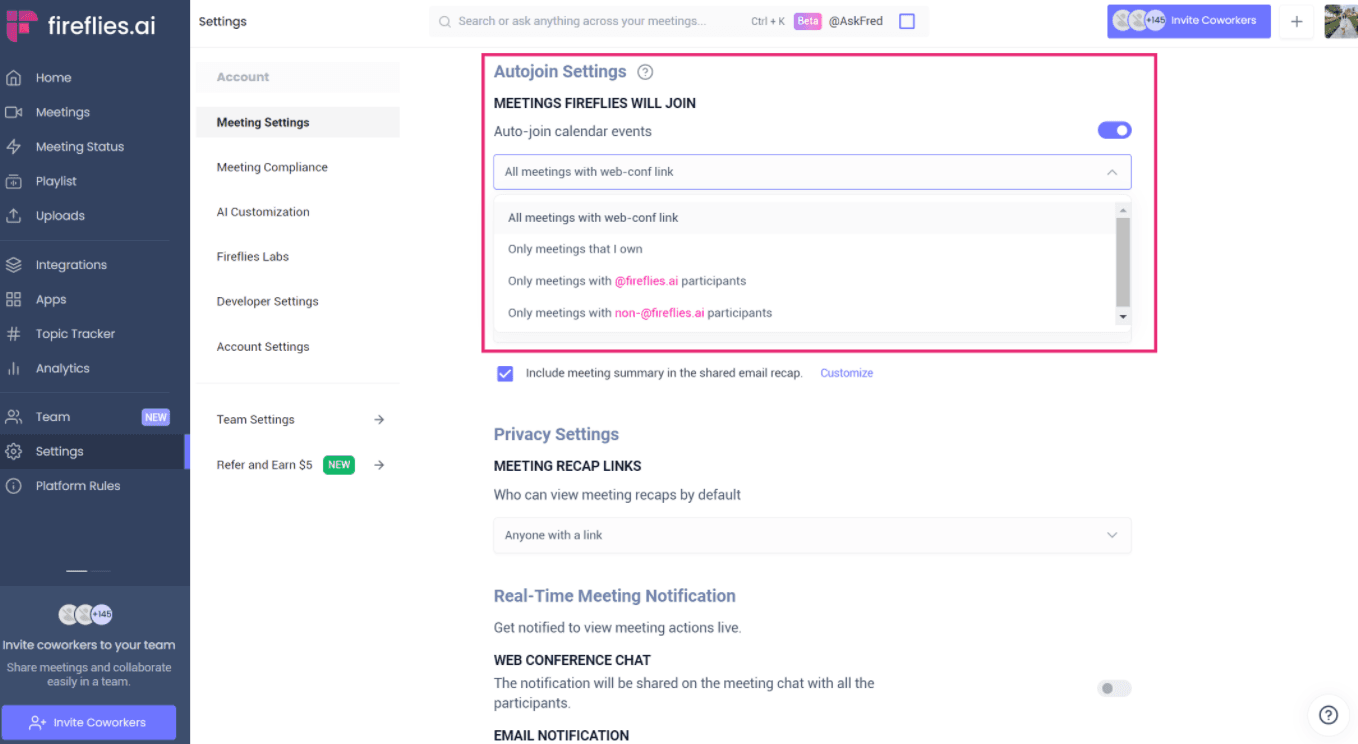
This is the most important step. Go to Settings from the left menu bar, then find Auto-join Settings. Choose "Join all calendar events that have a meeting link" to ensure every sales call gets recorded automatically.
Your options are:
Join all meetings with a web conference link (recommended)
Join only meetings you own
Join only when you manually invite fred@fireflies.ai
Step 3: Set Up Email Recaps
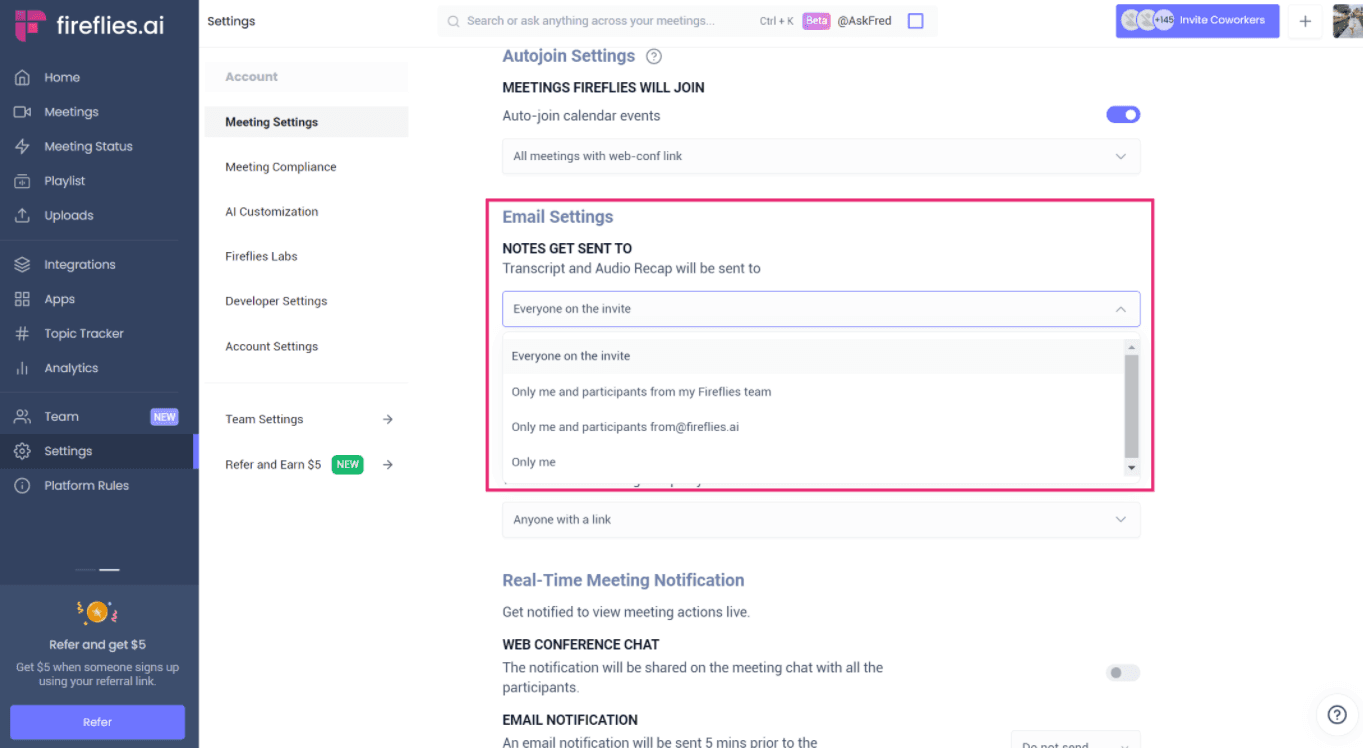
In the Email Settings section, choose who receives transcripts after each call. For sales team auditing, select "Send recaps to only me and my teammates" so managers get visibility without cluttering prospect inboxes.
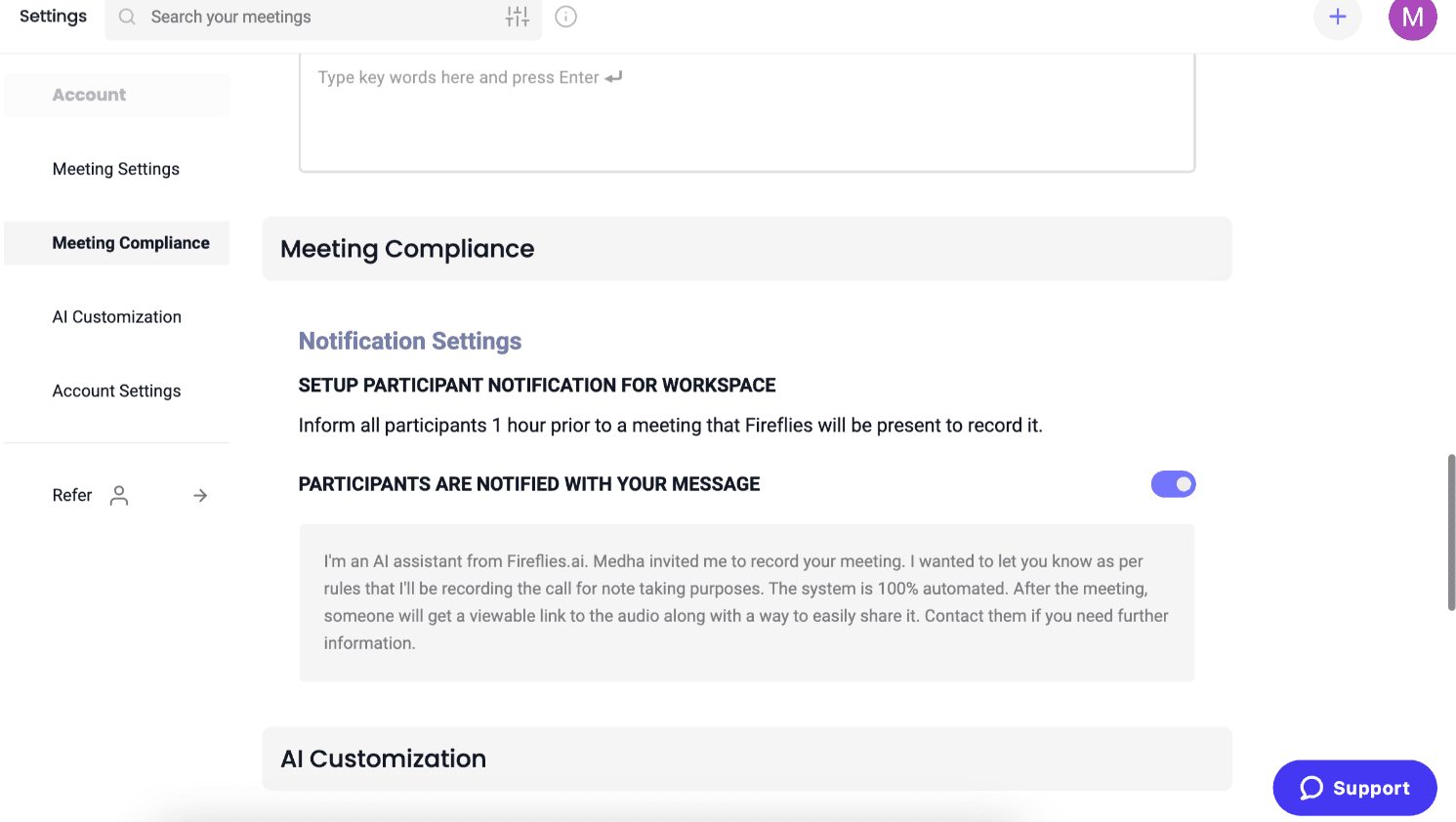
Step 4: Enable Meeting Compliance (Optional but Recommended)
In Meeting Compliance, turn on the call disclaimer notification. This automatically informs participants the call is being recorded and it's needed for legal compliance in many states.
You can customize the message to match your brand voice.
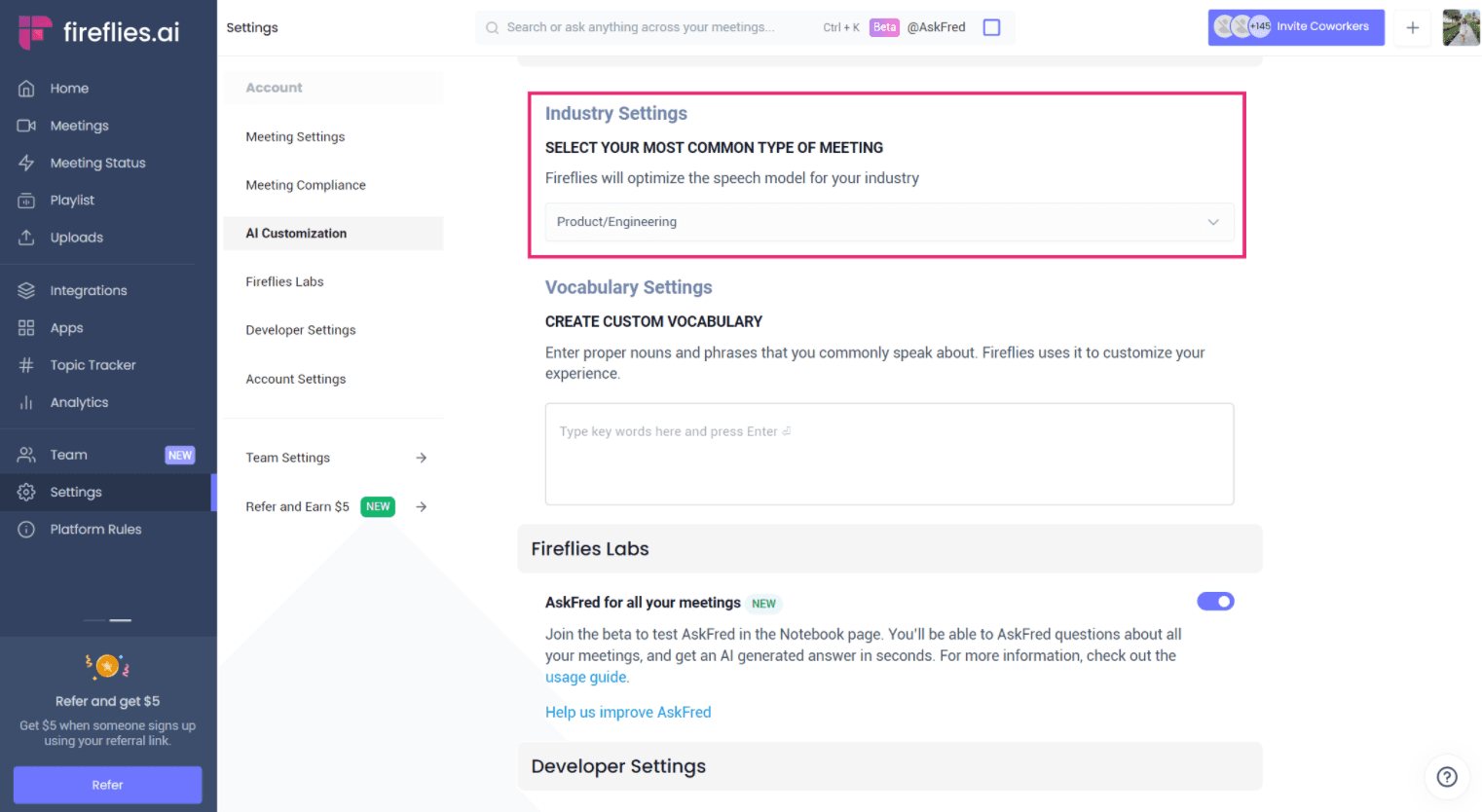
Step 5: Add Industry and Custom Vocabulary
Select your industry in Industry Settings so Fireflies optimizes transcription accuracy for your terminology. If you sell a specific program or use unique terms, add them to Custom Vocabulary for better recognition.
Step 6: Test It
Schedule a test call with a teammate. Fireflies (nicknamed "Fred") should automatically join within a minute of the meeting starting. After the call ends, you'll receive a transcript within 15-20 minutes.
If Fred doesn't show up, check the Meeting Status page in your dashboard to see why it didn't join and troubleshoot from there.
Step 2: Let AI Do the Heavy Lifting
Here's where it gets interesting. You don't watch the recordings and you don't even have to listen to them. Instead, you use AI summaries to extract what matters.
Inside Fireflies, you can ask the AI specific questions across all your calls. Use the following questions:
What are the most common objections? What pain points keep coming up? What did buyers say that non-buyers didn't? You can analyze patterns across 10, 50, or 100 calls in minutes which otherwise would would take weeks manually.
The output is action items, key topics, sentiment analysis, and searchable conversation history that you can take and improve your marketing and sales process.
How Do You Turn Call Data Into Marketing Ammunition?
The Objection to Content Pipeline
This is where sales call data becomes genuinely valuable.
Let's say your reps keep hearing the same objection: "I don't really understand the business model you're selling me on. I need time to research it." Now that is not a sales problem but a marketing problem. Your prospects are arriving to calls unprepared without knowing what you even do.
The fix is obvious once you see the pattern: create an introduction video that explains the business model. Send it before the call. Now prospects show up warmed up, educated, and ready to buy. You've just shortened your sales cycle and increased close rates without training your reps harder, but by listening to what prospects were already telling you.
Pain points become ad copy. Desires become landing page headlines. Objections become FAQ content. Marketing teams can use call recordings to access voice of the customer insights that no survey could ever capture.
Most marketing decisions are educated guesses. You think you know what your prospects care about. You assume you understand their objections. But without actual conversation data, you're optimizing based on intuition.
With call auditing in place, every decision gets backed by real data. You know exactly which pain points resonate with your prospects because you've heard them across dozens of sales calls. You know which objections kill deals because you've tracked the correlation. That's the difference between data driven marketing and hope driven marketing.
What Separates Buyers From Non-Buyers?
The Questions to Ask Your Call Data
Once you have 50+ calls recorded, you can start asking interesting questions like What did the buyers say that non-buyers didn't? Where in the conversation do deals typically die? Which objections are actual deal-breakers versus temporary speed bumps?
One enterprise sales team doubled their efficiency after implementing AI driven call insights. That kind of result comes from pattern recognition across hundreds of conversations, not from reviewing five random calls a month.
Building a Performance Checklist
You can also build automated scorecards for your team. Did the rep introduce themselves and the company clearly? Did they ask about timeline and budget? Did they handle the top three objections? Did they secure next steps before hanging up?
With the right setup, AI reviews every call against your criteria and flags gaps automatically. You get a performance report without manually listening to a single recording. Reps who need coaching get identified immediately. Top performers get recognized for doing things right.
Making This Work in Practice
The Weekly Audit Routine
Here's what this looks like in practice. Once a week, spend 30 minutes reviewing AI summaries instead of hours watching video. Flag patterns. Share insights with marketing. Coach your sales reps on specific gaps.
According to data from GoodMarketing, sales reps who use AI to optimize their activities have seen a 50% increase in win rates.
Advanced: Automation with Make.com
If you want to take this further, you can connect Fireflies to automation tools like Make.com. Every time a call ends, automatically extract action items and send them to your project management tool. Generate performance scorecards per rep and push them to Slack. Create a feedback loop that runs without you touching it.
This is where AI agents that automate workflows start delivering real ROI not because they're doing something magical, but because they're handling repetitive tasks that would otherwise fall through the cracks.
If you're thinking about implementing AI in your business, this is a good place to start. It's concrete, measurable, and delivers value quickly.
Frequently Asked Questions
What tools do I need to audit sales calls with AI?
You need a call recording tool like Fireflies.ai, Otter.ai, or Read.ai that joins your video calls automatically and provides AI generated summaries and transcripts. Most integrate with Zoom, Google Meet, and Microsoft Teams.
How long does it take to review 100 calls?
With AI summaries, you can extract key insights from 100 calls in under 30 minutes. You're reading summaries and patterns, not watching recordings.
Will my sales reps feel like they're being micromanaged?
Frame it as a coaching and marketing tool, not surveillance. The goal is to improve close rates and make everyone’s job easier, not to catch mistakes. The best teams position it as a shared learning tool that helps the entire team improve together.
Can I use call data for marketing?
Yes, this gives you direct insight into objections, pain points, and buying signals, all of which can be used to improve your FAQs, ad copy, and overall messaging. That’s why it’s one of the most underused sources of customer research in most businesses.
The Bottom Line
Recording every call plus AI summaries equals 100% visibility without 100x the time investment. The real value isn't just coaching, it's the marketing intelligence hidden in every conversation.
Your prospects are already telling you what they need to hear. The question is whether you're listening.
If setting up this system feels overwhelming, or you want to build automation around it, that's exactly the kind of operational workflow we help companies build. Check out more real-world AI transformation examples to see what's possible.